
Creator image repost
Check if your photos or content have been reposted without permission.
Sample image for a creator repost review flow.
Find exposed images. Build evidence. Take action safely.
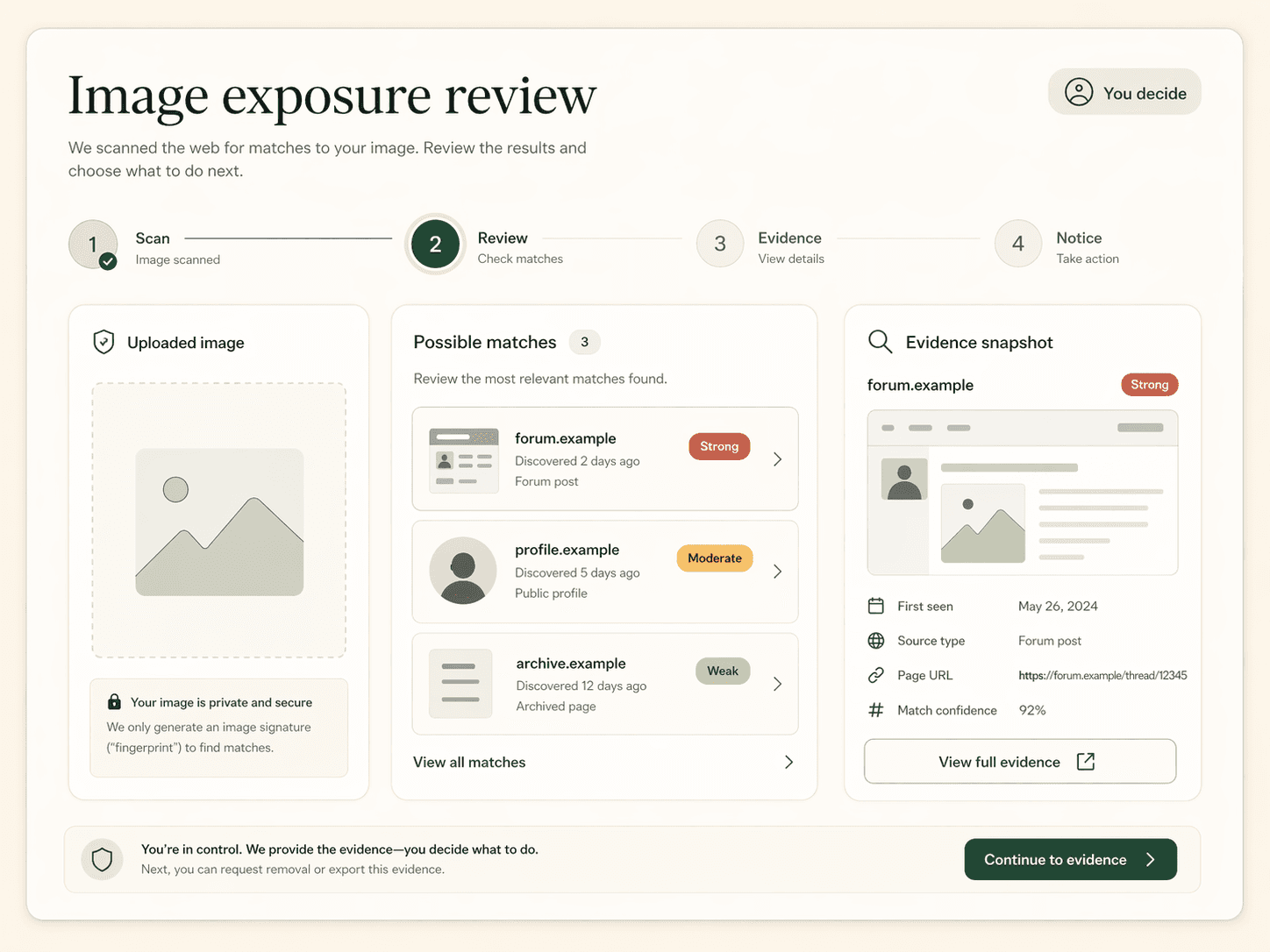
Reclaim helps you scan for public image matches, review possible exposure, save evidence, and prepare removal requests — without automatic reporting or permanent photo storage.
Temporary upload for live scans · No permanent photo library · Nothing sent automatically

Try one of our demo cases to see how Reclaim works before uploading anything personal.
Check if your photos or content have been reposted without permission.
Sample image for a creator repost review flow.

See if your profile picture is being used elsewhere or on fake accounts.
Sample image for a copied profile photo review flow.
Find outdated or unwanted images showing up in public search results.
Example case-file interface for search result exposure.

Investigate potential impersonation or identity misuse with image evidence.
Sample image for an impersonation concern review flow.
Demo cases use sample imagery and example data so you can explore the workflow safely.
You stay in control at every step. Reclaim is designed to slow the process down just enough to help you review carefully and choose the right next move.
Reclaim drafts requests. You review, edit, copy, download, or send them yourself.
Results can include false positives. You decide what is relevant before saving evidence or preparing a request.
Live scans may use temporary upload, but Reclaim does not keep a searchable image profile of you.
Reclaim checks public sources only. It cannot guarantee every copy will be found and it does not replace legal advice.
Start with one image and let Reclaim check for possible public matches.
See possible matches, identify what matters, and capture evidence.
Prepare a removal request or keep monitoring, while staying in control.
Reclaim organizes the scan around careful review: compare possible matches, capture evidence, and prepare a request only after you understand what you found.
No scan can promise to find every copy of an image online. Reclaim focuses on making the process safer, clearer, and more controlled.
Your preview remains in your browser until you start a live scan. For live scans, Reclaim may temporarily upload the image to create a scan URL and send that URL to third-party search providers. Reclaim does not keep a permanent photo library, and deletion is attempted after the scan completes.
No. Reclaim helps draft removal requests and organise evidence. You review every request and decide what, if anything, to send.
No. Reclaim checks public sources and candidate results available to its providers. It cannot search private accounts, encrypted apps, closed groups, or guarantee complete removal.
No. Results are possible matches. Some may be false positives, so Reclaim shows context and confidence signals before you take action.
No. Reclaim provides product guidance and templates. For urgent, complex, or high-risk cases, consider specialist support or legal advice.
Use Reclaim only for yourself or for someone you are legally responsible for, such as your child. Do not use it to investigate other people without a proper reason.
Private scan. Clear evidence. Your decision.